Excellent Editing - Year 1
Click here to preview this resource
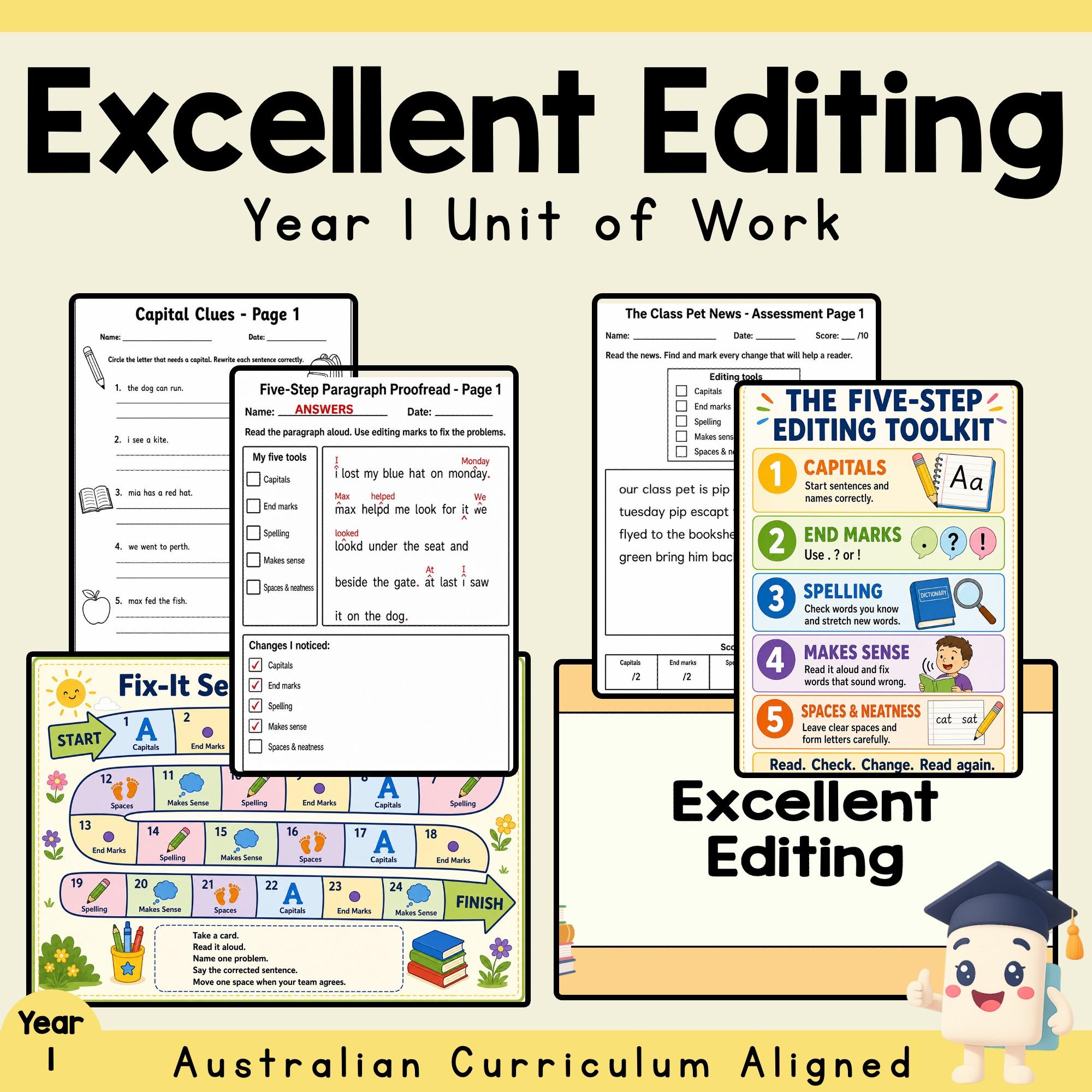
Excellent Editing gives Year 1 students a clear five-step routine for checking their writing. Explicit presentation slides introduce each editing tool, while colourful sorting and game materials help students talk through changes before they apply the same skills independently.
The 42-page printable unit plan moves from focused sentence work to short-paragraph proofreading and a fresh two-page assessment scenario. Thirteen worksheet pages provide substantial practice across capitals, end marks, spelling, sentence meaning, word spaces and combined editing. Fifteen answer pages duplicate the student layouts and place model answers in red. A five-level landscape rubric supports consistent assessment decisions.
The editable 14-slide presentation and 22-slide quiz retain native PowerPoint text. The quiz contains 10 mixed true/false, short-answer and four-option multiple-choice questions, each followed by an answer slide.
WHAT'S INCLUDED
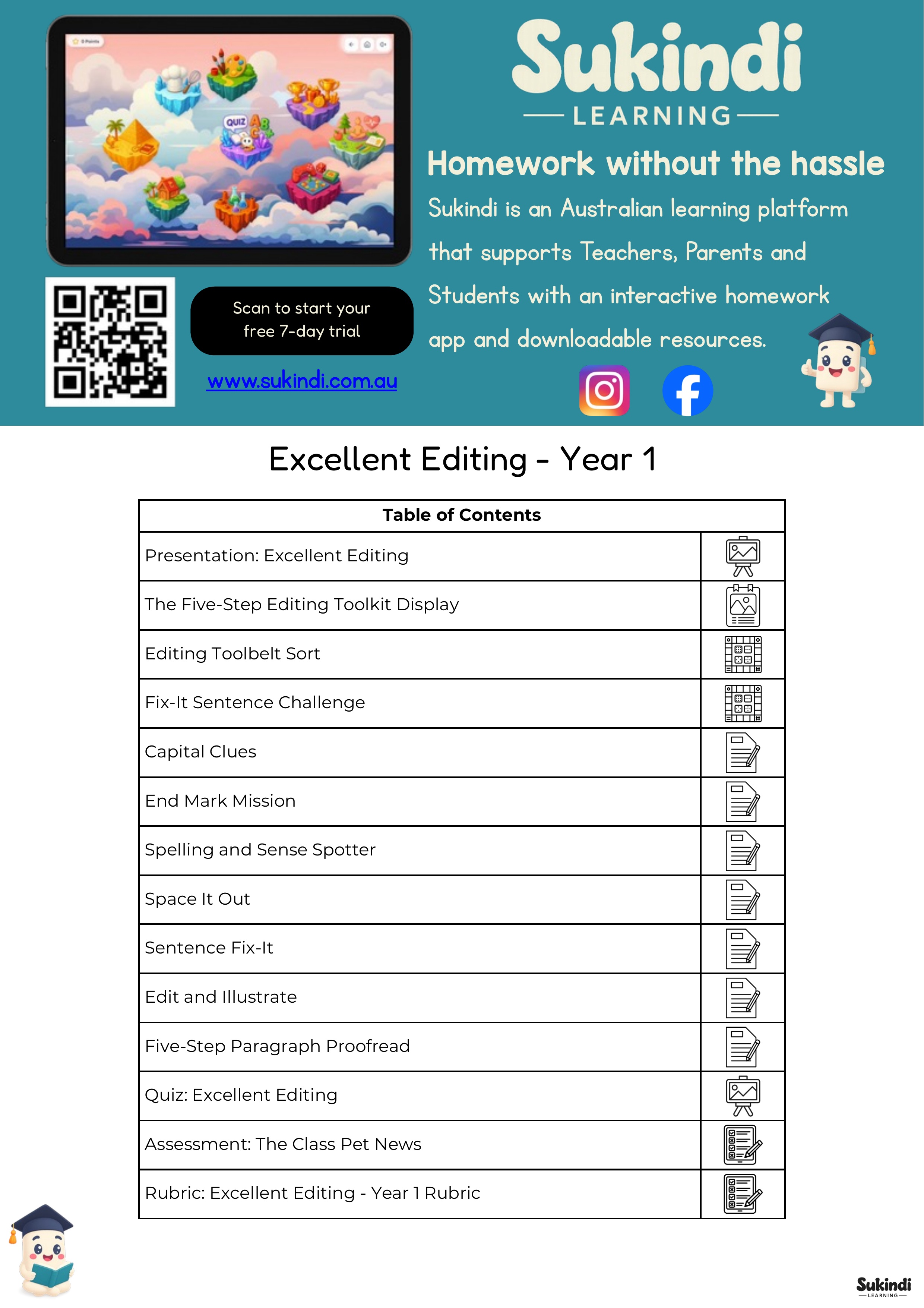
42-page printable unit-plan PDF with clean Table of Contents
Editable 14-slide teaching presentation
Editable 22-slide quiz with 10 question/answer pairs
The Five-Step Editing Toolkit colour display
Editing Toolbelt Sort, 4 pages: instructions, mat and two card sets
Fix-It Sentence Challenge, 5 pages: board, three card sets and recording sheet
Capital Clues, Pages 1-2, and answers
End Mark Mission, Pages 1-2, and answers
Spelling and Sense Spotter, Pages 1-2, and answers
Space It Out and answers
Sentence Fix-It, Pages 1-2, and answers
Edit and Illustrate: Beach Morning and Garden Surprise, and answers
Five-Step Paragraph Proofread, Pages 1-2, and answers
The Class Pet News two-page assessment and answers
Excellent Editing - Year 1 Rubric
78-page protected preview PDF
One-slide editable thumbnail PowerPoint
LEARNING FOCUS
Reread writing to notice changes that help a reader
Use capitals at sentence starts and for names, days and places
Select full stops, question marks and exclamation marks
Correct familiar spelling and check whether a sentence makes sense
Add clear word spaces and present writing neatly
Apply several editing tools to sentences and short paragraphs
Explain why a change improves a text
CLASSROOM USE
Use the native presentation for whole-class modelling, the Editing Toolbelt Sort and Fix-It Sentence Challenge for small-group or centre work, the focused worksheets for guided and independent practice, and the paragraph pages for consolidation. Complete the two-page assessment at the end of the week and use the rubric for feedback or reporting evidence.
YEAR, SUBJECT AND TOPIC
Year level: Year 1
Subject: English
Topic: Editing and proofreading simple sentences and short texts
Suggested duration: Five lessons, with extension, centre and review pages available
CURRICULUM ALIGNMENT
Australian Curriculum v9: AC9E1LA10; AC9E1LY06
Australian Curriculum v8.4: ACELA1449; ACELY1661; ACELY1662; ACELY1664
Victorian Curriculum 2.0: VC2E1LA10; VC2E1LY13; VC2E1LY14
NSW English: EN1-OLC-01; EN1-REFLU-01; EN1-VOCAB-01; EN1-SPELL-01; EN1-PHOKW-01; EN1-CWT-01; EN1-HANDW-01; EN1-UARL-01
Western Australian Curriculum: WA1ELALA5; WA1ELYC1; WA1ELYC4
Common Core: CCSS.ELA-LITERACY.L.1.1.c; CCSS.ELA-LITERACY.L.1.1.h; CCSS.ELA-LITERACY.L.1.2; CCSS.ELA-LITERACY.L.1.2.a; CCSS.ELA-LITERACY.L.1.2.b; CCSS.ELA-LITERACY.L.1.2.c; CCSS.ELA-LITERACY.L.1.2.d; CCSS.ELA-LITERACY.RF.1.1; CCSS.ELA-LITERACY.RF.1.1.a; CCSS.ELA-LITERACY.W.1.1; CCSS.ELA-LITERACY.W.1.2; CCSS.ELA-LITERACY.W.1.3; CCSS.ELA-LITERACY.W.1.5; CCSS.ELA-LITERACY.W.1.6; CCSS.ELA-LITERACY.W.1.7; CCSS.ELA-LITERACY.W.1.8
England Key Stage 1: UK-KS1-Y2-ENG-W-C; UK-KS1-Y2-ENG-W-V; UK-KS1-Y2-ENG-W-T-H
New Zealand: NZ-Y1-ENG-R-WR-COP-3; NZ-Y1-ENG-W-C-SSP-4; NZ-Y2-ENG-R-WR-COP-3; NZ-Y2-ENG-W-C-SSP-3; NZ-Y2-ENG-W-C-SSP-4; NZ-Y2-ENG-W-WP-R-1; NZ-Y2-ENG-W-WP-R-2; NZ-Y2-ENG-W-WP-E-1; NZ-Y2-ENG-W-C-WTI-1; NZ-Y2-ENG-W-C-WTP-1; NZ-Y2-ENG-W-C-WTE-1
TEKS: TEKS-ELAR-G1-1C; TEKS-ELAR-G1-7B; TEKS-ELAR-G1-7E; TEKS-ELAR-G1-10A; TEKS-ELAR-G1-11C; TEKS-ELAR-G1-11D; TEKS-ELAR-G1-12; TEKS-ELAR-G1-12B; TEKS-ELAR-G1-13; TEKS-ELAR-G1-13A; TEKS-ELAR-G1-13B; TEKS-ELAR-G1-13C
Ontario Language: CAN-G1-LANG-B2.7; CAN-G1-LANG-B2.8; CAN-G1-LANG-B3.1; CAN-G1-LANG-B3.3; CAN-G1-LANG-D1.3; CAN-G1-LANG-D1.5; CAN-G1-LANG-D2.1; CAN-G1-LANG-D2.5; CAN-G1-LANG-D3.1; CAN-G1-LANG-D3.2; CAN-G1-LANG-D3.3
FORMATS, PAGE COUNT AND ANSWERS
Unit-plan PDF: 42 pages
Editable presentation PPTX: 14 slides
Editable quiz PPTX: 22 slides
Protected combined preview PDF: 78 pages
Editable thumbnail PPTX: 1 slide
Answer key: Yes - 15 answer pages including assessment answers
TEACHER BENEFITS
A consistent five-step routine connects the display, activities, worksheets and assessment.
Focused pages isolate individual editing skills before students combine them.
Generous Year 1 writing spaces support handwriting and rewriting.
Black-and-white practice pages reduce colour-printing needs.
Matching red answer pages make checking and modelling straightforward.
Native PowerPoint text allows presentation and quiz wording to be adapted.
DIGITAL PRODUCT AND LICENCE
This is a digital product; no physical item is supplied. Purchase grants a single-teacher classroom licence. The files may be printed and displayed for that teacher's students but may not be shared with other educators, uploaded to shared drives or marketplaces, resold, redistributed or used to create competing resources.