Year 4 Word Processors Unit
Click here to preview this resource
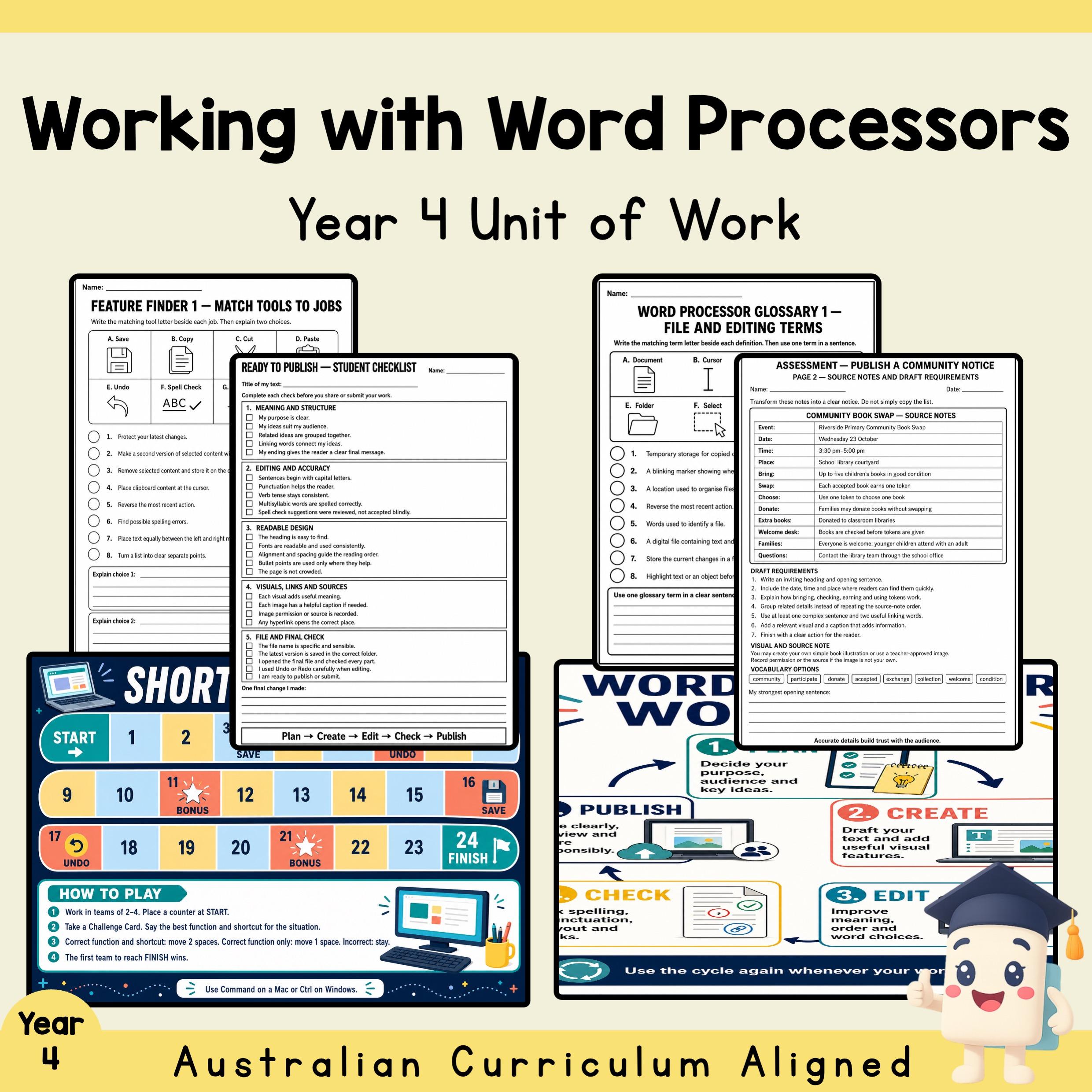
Working with Word Processors gives Year 4 students a practical pathway from exploring digital writing tools to planning a polished multimodal text. The one-week sequence introduces core word-processing features and shortcut logic, then develops students' ability to edit accurately, format for a specific purpose and audience, and review a draft before publishing.
Teachers receive an editable 20-slide presentation and 22-slide quiz, a 34-page unit plan, two colour displays, two collaborative games and activities, sequenced black-and-white worksheets and planning pages, matching answer pages, a three-page performance assessment and an A4 landscape rubric. The material is organised for explicit instruction, guided practice, collaborative consolidation, independent work and assessment.
What's Included
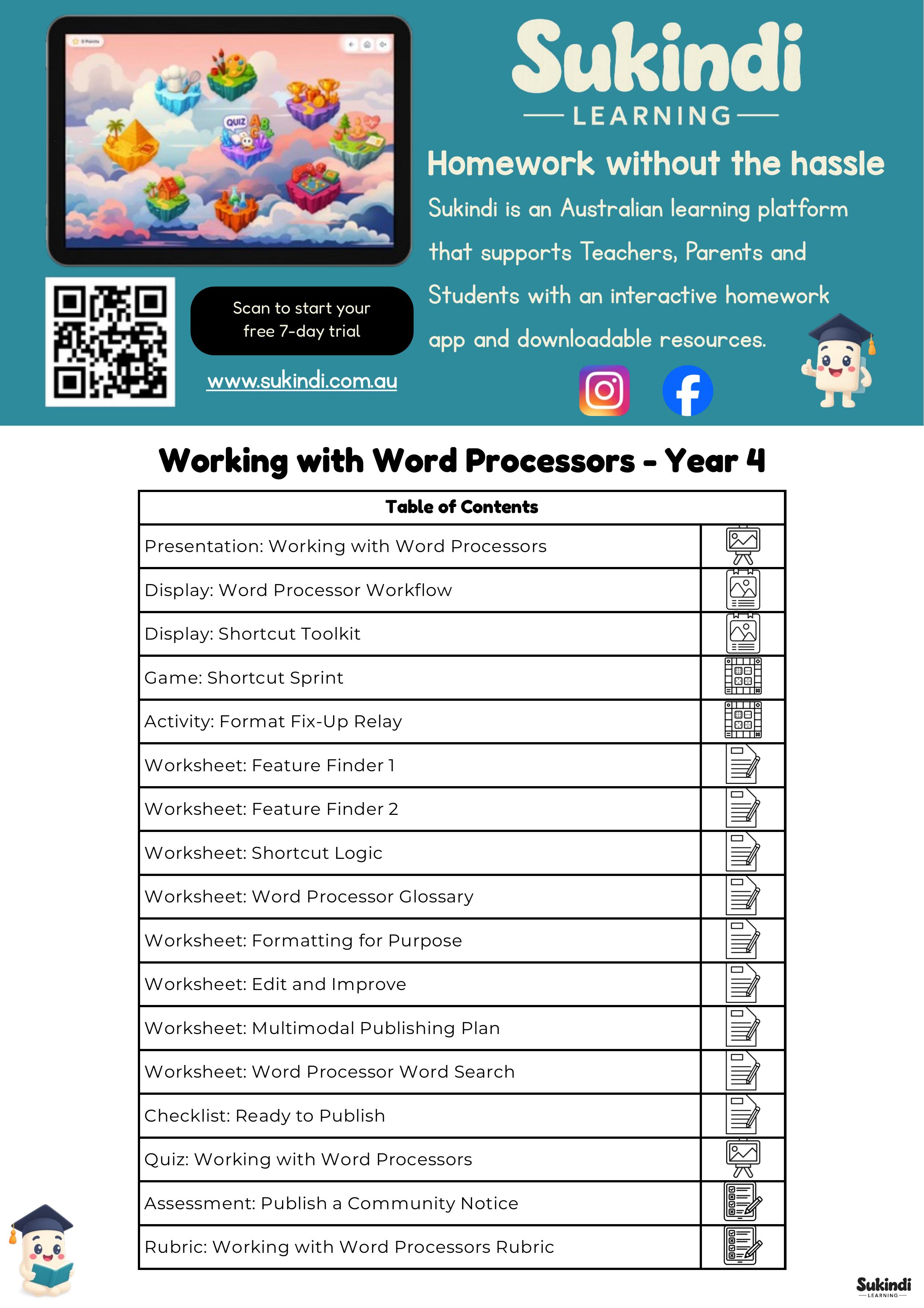
Editable Working with Word Processors presentation — 20 slides
Editable Working with Word Processors quiz — 22 slides with 10 question-and-answer pairs
Working with Word Processors unit plan — 34 pages including the Table of Contents
Word Processor Workflow colour display
Shortcut Toolkit colour display
Shortcut Sprint board and cards — 2 pages
Format Fix-Up Relay mat and cards — 2 pages
Feature Finder 1 worksheet
Feature Finder 2 worksheet
Shortcut Logic worksheet
Word Processor Glossary, Parts 1 and 2
Formatting for Purpose, Parts 1 and 2
Edit and Improve, Parts 1 and 2
Multimodal Publishing Plan, Parts 1 and 2
Word Processor Word Search
Ready to Publish student checklist
Ten matching answer pages with red answer text
Publish a Community Notice assessment — Assessment Brief, Source Notes, and Planning & Self-Check
Working with Word Processors Rubric — A4 landscape with five achievement levels
Combined preview PDF
Learning Focus
Recognise common word-processing features and explain their purpose.
Use keyboard shortcuts to work efficiently.
Apply formatting choices that improve readability and suit an audience.
Edit spelling, punctuation, sentence clarity and layout.
Plan a multimodal text that combines written and visual elements.
Self-check a draft before publishing.
Classroom Use
Use the presentation for whole-class modelling, the displays for ongoing reference, Shortcut Sprint and Format Fix-Up Relay for collaborative rehearsal, and the worksheets for guided or independent practice. Finish with the Publish a Community Notice task and use the five-level rubric for assessment and feedback. The sequence suits approximately five lessons plus assessment time and can also be split into shorter digital-literacy sessions.
Year, Subject and Topic
Year level: Year 4 / Grade 4
Subject: English
Topic: Word processors, digital writing, editing, formatting, keyboard shortcuts and multimodal publishing
Curriculum Alignment
Australian Curriculum v9.0
AC9E4LY06
Australian Curriculum v8.4
ACELY1694, ACELY1695, ACELY1697
Victorian Curriculum 2.0
VC2E4LY02, VC2E4LY10, VC2E4LY11
NSW English K–10
EN2-CWT-01, EN2-CWT-02, EN2-CWT-03, EN2-HANDW-02, EN2-OLC-01, EN2-SPELL-01, EN2-UARL-01, EN2-VOCAB-01
Western Australian Curriculum
WA4ELYC1, WA4ELYC4
Common Core State Standards — English Language Arts
CCSS. ELA-LITERACY. L.4.2, CCSS. ELA-LITERACY. L.4.2.a, CCSS. ELA-LITERACY. L.4.3.a, CCSS. ELA-LITERACY. L.4.3.b, CCSS. ELA-LITERACY. W.4.1, CCSS. ELA-LITERACY. W.4.1.b, CCSS. ELA-LITERACY. W.4.1.c, CCSS. ELA-LITERACY. W.4.1.d, CCSS. ELA-LITERACY. W.4.2, CCSS. ELA-LITERACY. W.4.2.a, CCSS. ELA-LITERACY. W.4.2.b, CCSS. ELA-LITERACY. W.4.2.d, CCSS. ELA-LITERACY. W.4.2.e, CCSS. ELA-LITERACY. W.4.3, CCSS. ELA-LITERACY. W.4.3.a, CCSS. ELA-LITERACY. W.4.3.b, CCSS. ELA-LITERACY. W.4.3.d, CCSS. ELA-LITERACY. W.4.3.e, CCSS. ELA-LITERACY. W.4.4, CCSS. ELA-LITERACY. W.4.5, CCSS. ELA-LITERACY. W.4.6, CCSS. ELA-LITERACY. W.4.7, CCSS. ELA-LITERACY. W.4.8, CCSS. ELA-LITERACY. W.4.9, CCSS. ELA-LITERACY. W.4.10
England National Curriculum — Upper Key Stage 2
UK-UKS2-ENG-W-C, UK-UKS2-ENG-W-T-H, UK-UKS2-ENG-W-T-S, UK-UKS2-ENG-W-V
New Zealand Curriculum — English
NZ-Y4-ENG-W-C-APT-1, NZ-Y4-ENG-W-C-WTE-1, NZ-Y4-ENG-W-C-WTI-1, NZ-Y4-ENG-W-C-WTP-1, NZ-Y4-ENG-W-WC-WC-1, NZ-Y5-ENG-W-C-APT-1, NZ-Y5-ENG-W-C-WTE-1, NZ-Y5-ENG-W-C-WTI-1, NZ-Y5-ENG-W-C-WTP-1, NZ-Y5-ENG-W-WC-WC-1
Texas Essential Knowledge and Skills — ELAR Grade 4
TEKS-ELAR-G4-7E, TEKS-ELAR-G4-7F, TEKS-ELAR-G4-11, TEKS-ELAR-G4-11A, TEKS-ELAR-G4-11B, TEKS-ELAR-G4-11C, TEKS-ELAR-G4-11D, TEKS-ELAR-G4-11E, TEKS-ELAR-G4-12, TEKS-ELAR-G4-12A, TEKS-ELAR-G4-12B, TEKS-ELAR-G4-12C, TEKS-ELAR-G4-12D, TEKS-ELAR-G4-13F
Ontario Language Curriculum — Grade 4
CAN-G4-LANG-D1.1, CAN-G4-LANG-D1.2, CAN-G4-LANG-D1.3, CAN-G4-LANG-D1.4, CAN-G4-LANG-D1.5, CAN-G4-LANG-D2.1, CAN-G4-LANG-D2.2, CAN-G4-LANG-D2.3, CAN-G4-LANG-D2.4, CAN-G4-LANG-D2.5, CAN-G4-LANG-D2.6, CAN-G4-LANG-D3.1, CAN-G4-LANG-D3.2, CAN-G4-LANG-D3.3
Formats, Page Count and Answers
Formats: PDF and editable Microsoft PowerPoint PPTX
Unit plan: 34 pages
Presentation: 20 slides
Quiz: 22 slides
Answer support: 10 matching answer pages plus quiz answer slides
Preview: Combined unit-plan, presentation and quiz PDF
Teacher Benefits
Provides a complete sequence from modelling to independent assessment.
Keeps printable practice pages black and white while reserving colour for displays and hands-on materials.
Supplies matching answers for fixed-response tasks.
Supports whole-class, small-group and independent teaching formats.
Uses a clear five-level rubric aligned to the unit's writing and digital-publishing skills.
Digital Product and Licence
This is a digital product; no physical item is supplied. Use is limited to the purchasing teacher or classroom in accordance with Sukindi Learning's licence terms. Redistribution, resale, public sharing or uploading files to an open-access location is not permitted.